Design Better
Digital Experiences
We design clear, intuitive experiences for websites and applications, combining thoughtful layouts and visual design to support business goals and prepare your product for development.
UX/UI Design Services
- Intuitive experiences that reduce complexity and make applications easier to use.
- Improve usability and create a more effective user experience.
- Build a consistent and credible brand identity across digital interfaces.
- Support efficient development and create opportunities for business growth.
UX Research & Strategy
Research user behavior and define information structures and user flows aligned with business goals.
Wireframe & Prototype
Create wireframes and interactive prototypes to visualize and validate the application experience before development.
UI Design
Design modern, visually consistent interfaces that reflect the brand identity and adapt to different devices through responsive design.
Design System & Guideline
Create a reusable design system and guidelines that help development teams build and maintain consistent interfaces.
We Care About Every Step of Design
Intuitive and Seamless User Experience
We design around user needs and business goals to create experiences that feel natural, intuitive, and easy to navigate.
Designed for Real-World Use
Great design goes beyond appearance. We make interfaces easy to navigate, content easy to read, and essential information easy to find.
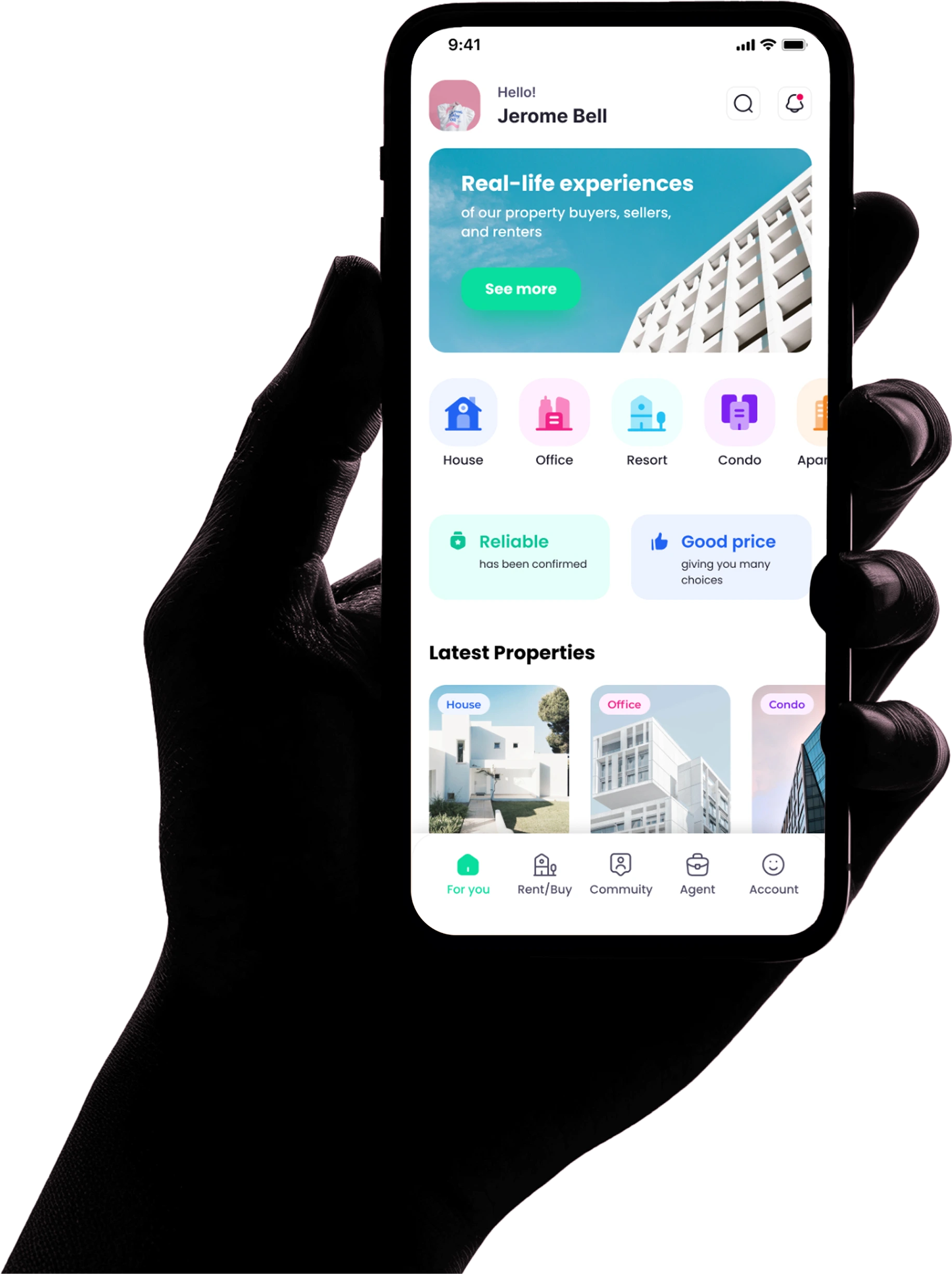
Modern Design That Builds Trust
We bring your brand to life through polished, modern design that looks great and stays consistent across mobile and desktop devices.
Ready for Development
Designed in Figma with organized components and design specifications, making it easier for developers to implement the designs and continue the development process.
A Structured Process from Idea to Interface
A clear UX/UI process from understanding the problem to handing the design over to development.
- 01Discover
Understand
- 02Define
Define structure
- 03Wireframe
Design structure
- 04UI Design
Design the interface
- 05Prototype & Review
Build a prototype and review
- 06Handoff
Hand over for development
Design an App Screen Yourself
Ever wondered what makes an app easy to use? Try assembling a mobile shopping app homepage by dragging interface elements into the designated positions. See how each component contributes to a clear, user-friendly layout.
UI Components
Drag or tap to selectGreat work! You've assembled the app screen.
A user-friendly interface is more than good looks. It also depends on clear information hierarchy and placing the right elements where users need them.
What You Receive
An overview of common UX/UI deliverables and what the design work provides.
UX Structure
- Information Architecture
- User Flow
- Sitemap
- Wireframes
UI Design
- High-Fidelity UI
- Responsive Layouts
- UI Components
- Visual Guidelines
Prototype
- Interactive Prototype
- Key User Flows
- Screen Interactions
Design Documentation
- Design Specifications
- Components
- Assets
- Developer Handoff
Deliverables may vary depending on project scope, requirements, and the level of design needed.
Design Is the Starting Point, Not the Finish Line
Once the design direction and key user flows are clear, the work can continue into development — turning approved designs into websites, applications, platforms, or software.
Design
- 01UX/UI Design
- 02Design Review
- 03Developer Handoff
Development, when required
- 04Development
- 05Integration
- 06Testing
- 07Go-Live
- 08Support & Improvement
The project can continue into development based on scope.